A durable handoff layer for coding agents
A home for the plans your coding agents write.
Hostplan is an open-source CLI and web viewer that gives every coding-agent plan a stable, shareable, machine-readable URL. Keep plans local, hand them to a teammate, or open them directly in Codex, Claude Code, and Cursor.
Requires Bun and Node 20+. You can also use `npm install --global hostplan`; the CLI still runs with Bun.
$ hsp add PLAN.md
✓ stored Worktree GC · nest / feat/delivery · a3f9c2
→ https://plans.host-plan.com/p/a3f9c2

$ curl -fsSL https://plans.host-plan.com/p/a3f9c2
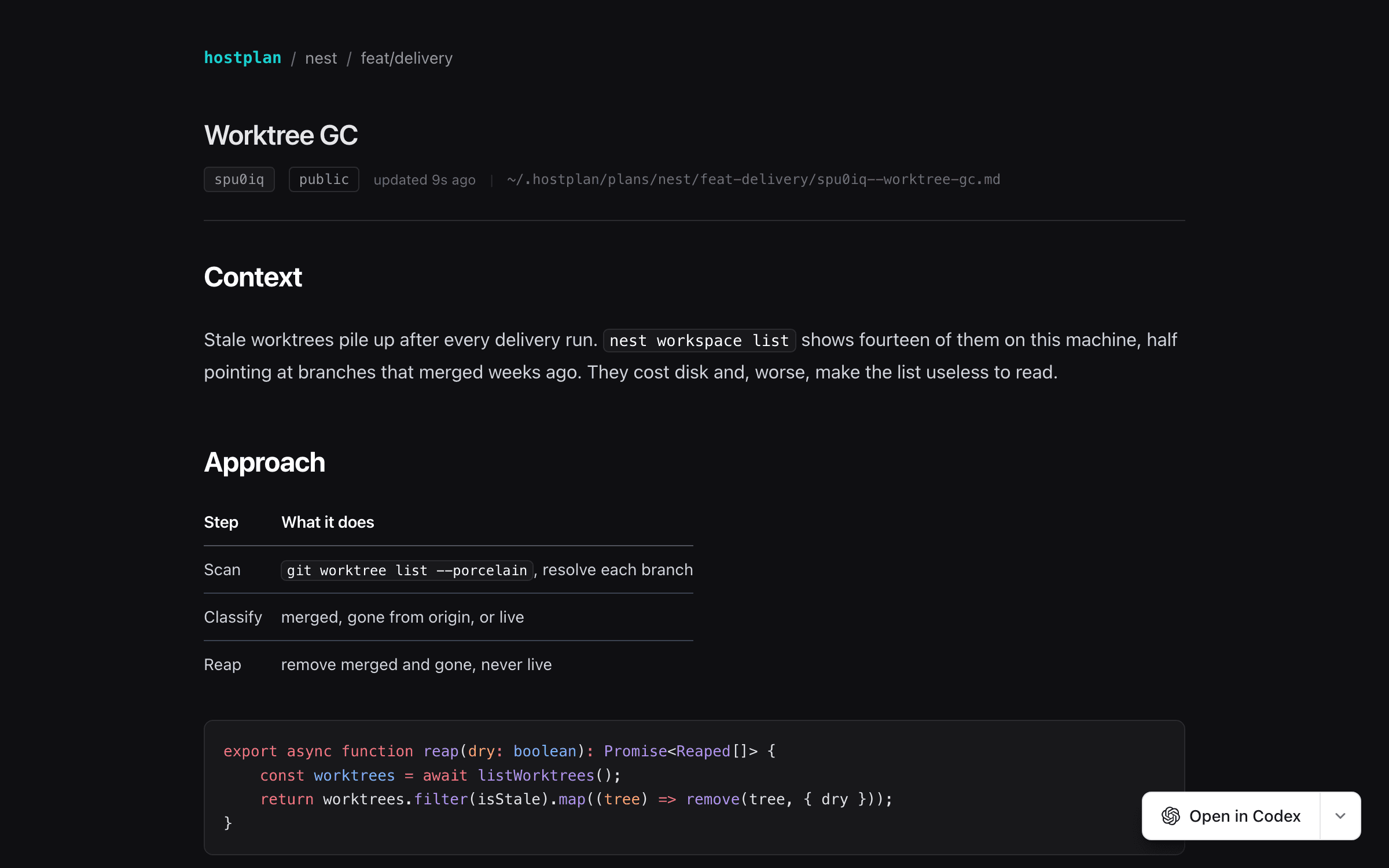
# Worktree GC
...
Why Hostplan
The plan survives the chat that created it.
Coding-agent plans often disappear into a scratch file, a temporary worktree, or last week's conversation. Hostplan gives the planning artifact an identity, context, lifecycle, and retrieval path of its own.
One address per plan
Every plan gets a short id and a durable URL. Teammates and agents can refer to the same artifact without hunting through chat history.
Project and branch context
Hostplan reads git context automatically, so the plan for feat/delivery stays attached to feat/delivery instead of becoming another mystery PLAN.md.
Local first, shareable by choice
Plans are plain Markdown on your machine. Sign in to a deployment when you want private coded links or intentionally public plans.
Open in your coding agent
A plan page can prepare a new thread in Codex, Claude Code, or Cursor. You review the prompt before anything is sent.
Machine-readable by default
Browsers get the rendered viewer. curl and text clients get the original plan source from the exact same URL.
A workflow, not a file dump
Draft, approve, execute, and complete plans; split large work into ordered stacks; and check off addressable tasks as work lands.
One continuous workflow
Store once. Resume anywhere.
- 01
Store
hsp add PLAN.mdHostplan files the plan under the current project and branch.
- 02
Share
hsp share <id>Send a private coded link or deliberately publish the plan.
- 03
Resume
hsp get latestThe next coding-agent session reads the same source of truth.
- 04
Execute
Open in CodexHand the reviewed plan into the agent that will implement it.
Learn
Build a better plan handoff.
What is a coding-agent plan?
The role of a durable plan between a request and implementation.
Agent plan handoffs
Move work between sessions, tools, teammates, and coding agents.
Hostplan vs. PLAN.md
When a checked-in file is enough—and when it starts to break down.
Runnable examples
Lifecycle, stacks, task tracking, and cross-agent handoffs.
Give your next coding-agent plan a durable address.
Clone the repository, link the CLI, and store your first plan locally. Nothing leaves your machine until you choose a deployment.
Get Hostplan on GitHub